


Super Slots App and Mobile Casino
No download, no APK, no App Store profile. Super Slots runs through your mobile browser on Android and iOS, with the full 1,700+ game lobby and account tools.
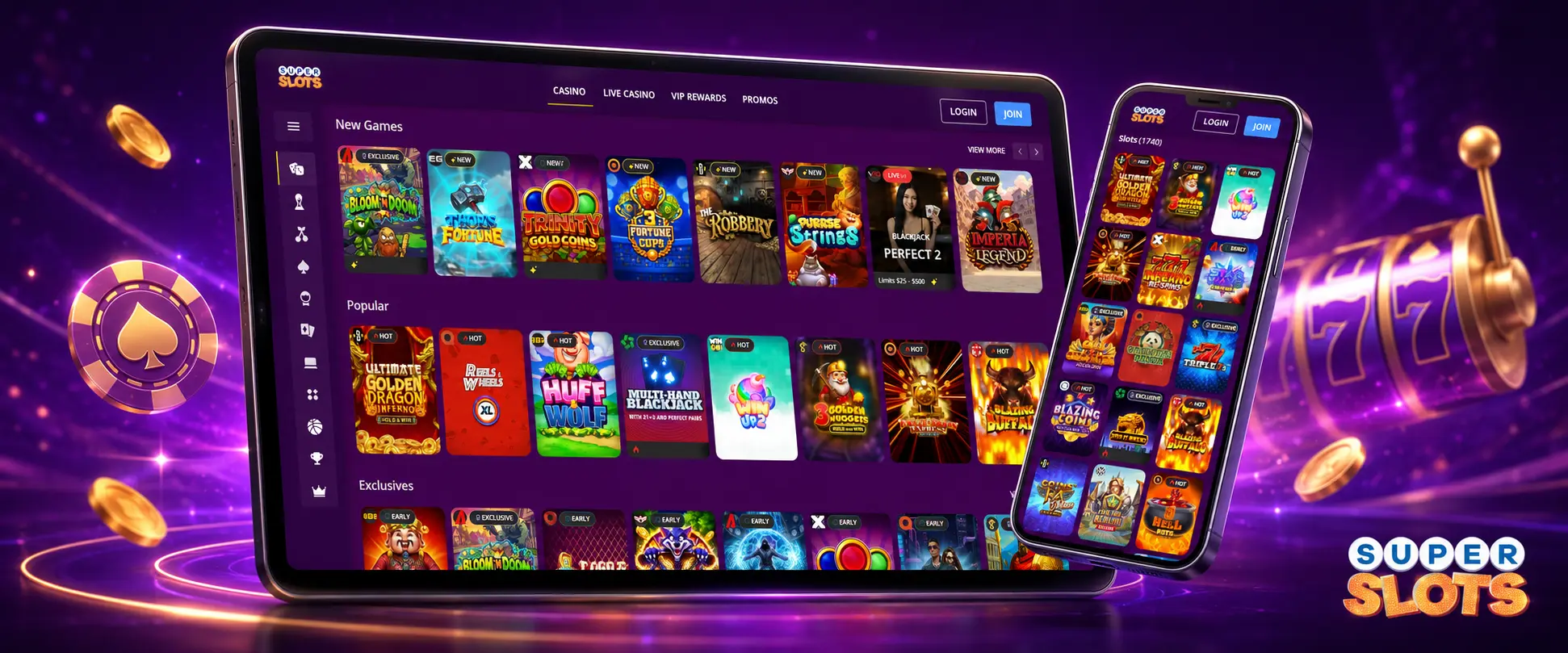
Super Slots gives Canadian players full mobile access without a downloadable casino app. The platform runs through the superslots.ag website in a modern browser. You can open the casino on an Android phone, Android tablet, iPhone, or iPad without installing extra software.
The mobile version of Super Slots includes more than 1,700 games. You can play slots, video poker, keno, scratch cards, blackjack, roulette, craps, baccarat, poker-style tables, and live dealer games. Browser access also covers registration, login, deposits, withdrawals, promotions, account settings, and customer support.
Since Super Slots has no separate Android or iOS application, there is no reason to search an app store or download an APK file. On supported devices in Canada, open the site, sign in, and use the mobile interface. A home screen shortcut can make future visits quicker.
Super Slots on Android and iOS

Super Slots on Android
Open the casino through a current mobile browser — Chrome, Firefox, Edge, Samsung Internet, or another modern browser. No installation file is required, and no device security changes are needed.
| Requirement | Practical standard |
|---|---|
| Browser | A current version of Chrome, Firefox, Edge, or Samsung Internet |
| Connection | Stable Wi-Fi or mobile data |
| Storage | Free space for browser cache and normal updates |

Super Slots on iOS
Access the casino through Safari or another current iOS browser on an iPhone or iPad. There is no App Store download and no separate installation package to approve.
| Requirement | Practical standard |
|---|---|
| Operating system | A reasonably current version of iOS or iPadOS |
| Browser | An updated version of Safari or another supported iOS browser |
| Connection | Stable Wi-Fi or mobile data |
Super Slots Mobile App for Android
Super Slots does not provide a downloadable Android application or an official APK file. Android users can open the casino through a current mobile browser: Google Chrome, Mozilla Firefox, Microsoft Edge, Samsung Internet, or another modern browser supported by the device. Enter superslots.ag and sign in. The Super Slots website will adapt to the size and orientation of your Android screen.
Its mobile version includes casino games, deposits and withdrawals, active promotions, and customer support. Canadian Android users do not have to change device security settings or reserve storage for casino software. All access runs through the browser.
How to Open Super Slots on Android
No installation file is required. Super Slots loads from the official website and works as a mobile casino interface.
Follow these steps:
- Open Chrome or another current browser on your Android device.
- Enter superslots.ag in the address bar.
- Wait for the Super Slots mobile page to load.
- Tap the login button if you already have an account.
- Enter your account details.
- Open the game lobby, cashier, promotion page, or support section.
Check the address before entering your credentials. Do not open Super Slots through unofficial sources such as an APK download page or an unofficial mobile link. Leave any page that asks you to install casino software before accessing your account.
How to Add an Android Shortcut
Although there is no installable application, you can place Super Slots on your Android home screen. The shortcut opens the website and reduces the steps needed to reach the casino.
Create it as follows:
- Open superslots.ag in Chrome.
- Tap the browser menu.
- Select the option to add the page to your home screen.
- Review the shortcut name.
- Confirm the addition.
Menu wording can differ between Android browsers. Once confirmed, a Super Slots icon will appear alongside your other mobile icons. Tap the shortcut to launch the casino in your browser. It does not install a native application or use the same amount of storage as an APK file.
Super Slots Android Device Compatibility
Super Slots works on Android phones and tablets that can load current websites securely. There is no published minimum Android app version because the casino does not offer an application.
| Requirement | Practical standard |
|---|---|
| Browser | A current version of Chrome, Firefox, Edge, Samsung Internet, or another modern browser |
| Website support | JavaScript, secure account pages, and mobile media playback |
| Internet connection | Stable Wi-Fi or mobile data |
| Storage | Enough free space for browser cache and normal Android updates |
| Screen support | A display that can load responsive mobile pages and touch controls |
Live dealer tables need a more consistent connection than many slots or scratch cards. Super Slots must stream video while processing wagers and game results. Storage matters less because no large casino file is installed. Still, leave enough free space for browser data and routine system operation.
Super Slots Mobile App for iOS
Super Slots does not offer a downloadable iOS application through the Apple App Store. It also uses no separate installation package. On an iPhone or iPad in Canada, access comes through the official website in Safari or another current iOS browser.
The Super Slots mobile website includes the casino lobby, account registration, account login, deposits and withdrawals, promotions, live dealer games, and customer support. There is no need to approve an enterprise profile or lower your iPhone security settings. Avoid third-party pages that request an unofficial configuration file for Super Slots access.
How to Open Super Slots on iOS
You can open Super Slots on an iPhone or iPad without an App Store download.
Use the following steps:
- Launch Safari on your iPhone or iPad.
- Enter superslots.ag in the address bar.
- Open the Super Slots website.
- Tap the login option.
- Enter the account details used on your other devices.
- Select a game or open the required account feature.
Keep Safari updated and allow standard website functions. Super Slots may use browser access for full-screen gameplay, game sound, and live chat. These are website features, not permissions for a separate casino application.
How to Add an iOS Shortcut
You can place a Super Slots shortcut on the home screen of an iPhone or iPad. It resembles an app icon but still opens the casino through Safari.
Add it by completing these steps:
- Open superslots.ag in Safari.
- Tap the share icon.
- Select Add to Home Screen.
- Review the displayed shortcut name.
- Tap Add.
The Super Slots icon will then appear on the home screen. Tap it whenever you want to return to the site. No separate iOS software is installed. Updates appear on the website rather than through the Apple App Store.
Super Slots iPhone and iPad Compatibility
Super Slots supports iPhones and iPads that can run a current mobile browser. Access depends more on browser support and connection quality than on a particular device model.
| Requirement | Practical standard |
|---|---|
| Operating system | A reasonably current version of iOS or iPadOS |
| Browser | An updated version of Safari or another supported iOS browser |
| Internet connection | Stable Wi-Fi or mobile data |
| Device performance | Enough memory and processing capacity for casino pages and video streams |
| Display | A responsive screen with working touch controls |
If a Super Slots live dealer stream freezes, close unused browser tabs, check the Wi-Fi or mobile data connection, and reload the game page. Restart Safari if the issue continues. Support remains available through the Super Slots mobile website.
How to Keep the App Up to Date
Super Slots applies mobile updates directly to the website. You do not have to download a new application version.
Do not look for updates through Google Play, the Apple App Store, or an APK download website. New changes normally appear the next time you open or refresh superslots.ag.
Updates may include:
- New casino games.
- Changes to payment pages.
- Faster page loading.
- Fixes for display problems.
- Revisions to account or promotional tools.
Since Super Slots runs in a browser, most changes need no input from you. Refreshing the page usually loads the current version.
If a feature appears outdated or fails to load, try these actions:
- Clear the browser cache.
- Reopen superslots.ag.
- Close older casino tabs.
- Restart the browser.
Never install a file promoted as a required Super Slots update. External software is not part of the mobile service.
The Advantages of the Casino App
One advantage of Super Slots mobile access is that it works without installation. You can open the casino on a supported device, log in, and reach more than 1,700 games without storing a large application.
The browser version includes account registration, casino games, deposits, withdrawal requests, promotions, live dealer tables, account settings, and customer support. A home screen shortcut makes Super Slots almost as quick to open as a regular application. Website changes also appear without waiting for an app store release.
Across Canada, browser access avoids dependence on app store availability. Super Slots uses the same website on Android and iOS devices. Your balance and account activity stay connected when you move between mobile and desktop access.
| Feature | Downloadable App | Super Slots Mobile Browser |
|---|---|---|
| Availability | Not available | Available |
| Installation | Not possible | No installation needed |
| Android access | No official APK | Modern Android browser |
| iPhone and iPad access | No App Store app | Safari or another current browser |
| Home screen launch | Not applicable | Website shortcut available |
| Game access | Not applicable | More than 1,700 games |
| Deposits and withdrawals | Not applicable | Available |
| Promotions | Not applicable | Available |
| Live dealer games | Not applicable | Available |
| Customer support | Not applicable | Available |
The Super Slots mobile browser covers the functions commonly associated with a casino app, but without a download. It is the casino’s sole mobile access method because no downloadable application exists. Through the website, you can register an account, log in, open the casino lobby, claim available promotions, make deposits, request withdrawals, play live dealer games, and contact customer support. Save superslots.ag as a home screen shortcut for quicker access, keep your browser updated, and close unused tabs before opening demanding games. Players in Canada can use the same Super Slots account across mobile and desktop devices, and the balance, promotions, and transaction history remain linked.
Mobile Casino Games Library
The Super Slots mobile casino includes more than 1,700 titles. You can reach the game lobby through the website without installing additional software.
Availability can vary according to the selected game category, device performance, and account status.
Machine-style and instant-play options on Super Slots include slots, video poker, keno, and scratch cards. These games usually adapt well to smaller screens. Rotate your device if the controls feel cramped in portrait orientation.
Table and dealer options include blackjack, roulette, craps, baccarat, poker-style tables, and live dealer games. A stable connection is particularly important during Super Slots live dealer sessions. It must handle the live video stream, game audio, betting controls, and real-time results.
Demo mode may be available for selected Super Slots games. Check the game page for a free-play option before using your balance. Some titles may require login or real-money mode. Read the choices shown on the Super Slots game screen before starting a session.
Mobile Security
Super Slots mobile access uses login controls and encrypted data handling on the website. You should still protect your device and account. Basic precautions include using a private device, creating a unique password, and connecting through a trusted network.
When switching between home Wi-Fi and mobile data in Canada, check the active network before opening the Super Slots cashier. Do not enter account details over an unknown public connection. Account verification may include KYC checks. Super Slots can request personal or payment information to confirm account ownership.
AML and suspicious transaction checks may affect deposits, withdrawal requests, and account access. Enter accurate details during registration. Send verification information only through Super Slots pages or confirmed support channels.
Do not start a payment through links received from unknown messages, unexpected pop-ups, or unofficial casino pages. Go to superslots.ag yourself and review the transaction details before confirming a deposit or withdrawal. Super Slots does not provide installation files. Treat an Android APK, an iOS configuration profile, or a desktop-style mobile installer as unofficial, and close any page offering one of these files under the Super Slots name.
Super Slots Mobile Login
You can sign in to Super Slots on mobile with the same account information used on the desktop website. Go to superslots.ag and tap Login. The login form accepts an account number, email address, or username together with the password connected to the Super Slots account.
A new account is unnecessary when moving to mobile. Super Slots permits one account per player, so changing phones or starting to use a tablet is not a reason to register again. Your existing Super Slots profile retains the account balance, available promotions, payment access, and account history. Moving between desktop access and a mobile browser in Canada does not require a second profile.
If you forget your password, open the password recovery option, request the reset email, follow the link sent to your email address, create a strong new password, and return to Super Slots to log in again. Avoid saving your password on a public or shared device. Sign out after playing when someone else can use your phone or tablet.
Frequently Asked Questions
Rotate your phone or tablet and reload the game page. If the controls still appear cramped, close unused tabs and open Super Slots in another current browser supported by your device.
Live dealer games continuously load video, audio, betting controls, and results, so they need a steadier connection. Check your Wi-Fi or mobile data, close other browser tabs, and reload the table if the stream stops.
Confirm that your browser allows standard website functions and that it is up to date. Reload Super Slots after changing the browser settings, as sound, full-screen gameplay, and live chat operate through the website.
Create the shortcut yourself while superslots.ag is open in Chrome or Safari. A legitimate shortcut opens the website in your browser and does not ask you to install an APK, iOS profile, or separate mobile file.
No. Super Slots permits one account per player, so changing phones or starting to use a tablet is not a reason to register again. Your balance, promotions, payment access, and account history stay linked across devices.